SprunkiOSC Music Maker Online

Reviews
Description
Sound Mixing Through Character Placement
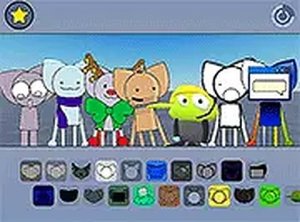
SprunkiOSC Music Maker Online turns music composition into a visual matching task. Each colorful character on screen carries a distinct sound. To activate a sound, you drag that character's icon onto one of the gray round figures waiting below. The gray figures act as empty slots; once occupied, they play their assigned sound on a loop. Your mix builds as you fill more slots, and rearranging characters changes the combination in real time. There are no wrong notes or failed attempts—every placement produces a valid result, which keeps the focus on experimentation rather than performance.
Controls and Interface Basics
The game runs in a browser and supports both mouse and touch input, so it works on desktop, tablet, and phone. Two interface elements shape how you manage your mix. A rhythm arrow in the top right corner lets you view the current rhythm pattern and reset it when you want to start over. A pink flower icon in the bottom right switches the visual theme and sound set to an alternate mode with a different mood. Both controls are always visible, so you can adjust your session without navigating menus. No musical background is required to begin; the interface teaches itself through direct manipulation.
Audio Quality and Device Support
The game uses Open Sound Control (OSC) to handle audio playback, which keeps sounds crisp and clear even when multiple characters are layered. This matters because a music maker lives or dies by how clean the output sounds when several loops overlap. Because the game is built for browsers, it avoids installs and works across devices. The developer, FrazzleDazzle, designed it to be family-friendly with no violent or inappropriate content, making it suitable for younger players or anyone looking for a low-pressure creative outlet.
Compatibility
Faq
Comments
Sign in to comment
You must be logged in before posting a review or rating.
No comments yet. Be the first to comment!








Editorial Notes