Puppet Beat: Matching Music Game
Reviews
Description
Note Matching and Puppet Feedback
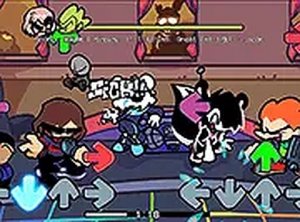
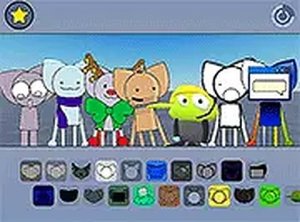
Puppet Beat asks you to press keys exactly when falling notes reach a target zone. Each correct press adds to your score, while missed notes interrupt the flow. The puppets react with distinct animations when you hit notes successfully, giving you visual confirmation that your timing was right. This feedback loop keeps your attention on both the beat and the character response.
Song Structure and Tempo Range
The soundtrack uses original rap compositions with clear, steady beats. Tempos range from slow practice tracks to faster challenges that demand quick reflexes. Every song introduces new note patterns gradually, so you learn the rhythm before the density increases. Because the music drives the gameplay, players who enjoy rhythm-based activities will find the selection cohesive. No licensed tracks appear here; the focus stays on a consistent original style.
Difficulty Curve and Practice
Early levels use simple note sequences with generous timing windows. As you advance, note density increases and patterns become more complex. Later stages add simultaneous notes and faster tempos. The difficulty curve builds skills incrementally. There is no penalty for replaying earlier songs, so you can practice and master a track before moving to harder content.
Controls and On-Screen Information
Standard keyboard inputs handle everything: arrow keys or WASD for note matching. A full-screen toggle gives you a more focused view. The interface shows a clear score counter and a progress bar indicating how far through a song you have advanced. Note indicators are color-coded to match the corresponding keys, which reduces confusion during fast sequences. The control scheme is responsive, with minimal input lag for accurate timing.
Compatibility
Faq
Comments
Sign in to comment
You must be logged in before posting a review or rating.
No comments yet. Be the first to comment!





Editorial Notes