← Back to Games
Tractor Rescue 3D
Published: 2026-10-01
Updated: 2026-10-01
Loading Game Image...
Reviews
Tractor Rescue 3D stands out by making the tractor a rescue tool rather than a farm vehicle. The towing mechanic adds real weight to every turn, and the mix of muddy fields and city streets keeps routes from feeling repetitive. It suits players who enjoy transport simulations and careful driving. The main limitation is that the source material does not describe multiplayer or extensive customization, so expect a solo, mission-based experience.
Description
Rescue Missions, Not Farming
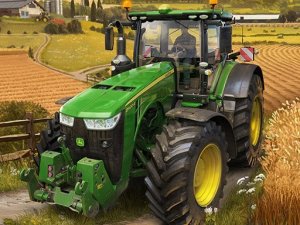
Tractor Rescue 3D swaps crop harvesting for vehicle recovery. Each level drops you into a location where a car, bus, or another vehicle is stuck in mud, broken down, or out of fuel. Your tractor is the only way to pull it free and deliver it to a repair workshop. The challenge comes from the terrain: rough, uneven, and winding roads that punish careless speed and sharp turns.Driving and Towing Mechanics
On-screen controls handle forward, reverse, and steering. The real work starts once you attach the chain. Towing adds weight and changes how the tractor responds, so you have to manage acceleration and braking carefully. Slippery surfaces and hills demand smooth inputs rather than sudden moves. A damaged cargo or a lost chain means restarting the level, so checking the connection before moving is part of the routine.Camera Angles and Route Planning
Multiple camera views let you see obstacles from different perspectives. Switching angles helps you judge gaps, spot hazards, and plan a path before committing to it. This is especially useful on tight corners or when the towed vehicle blocks part of your view. The game rewards players who slow down, look ahead, and choose a clean line instead of rushing.Progression and Unlockables
Completing a level earns points and opens new challenges. Environments shift from muddy fields to urban streets, each with its own obstacles and demands. The variety of vehicles you rescue—cars, buses, even helicopters—keeps the towing tasks from feeling identical. Rewards may unlock additional levels or vehicles, giving steady reasons to improve your driving.Compatibility
✅ Works on PC & Mobile | Recommended: Chrome / Safari / Edge
Faq
What is the main goal in Tractor Rescue 3D?
Your goal is to drive a heavy-duty tractor to a stranded vehicle, attach it with a chain, and tow it to a repair workshop. You must do this without damaging the vehicle or losing it on rough terrain. Each level presents a new location and a new vehicle to recover.
What types of vehicles can I rescue?
The game features cars, buses, and helicopters as rescue targets. Each type may behave differently when towed, depending on its weight and size. The variety keeps the towing challenge fresh across levels.
How do the camera angles help during a rescue?
Multiple camera views let you see your tractor and the towed vehicle from different perspectives. This helps you spot obstacles, judge turns, and plan a safe route. Switching views is especially useful when the towed vehicle blocks your normal view.
Is Tractor Rescue 3D a farming simulator?
No. Unlike traditional farming simulators, Tractor Rescue 3D focuses entirely on rescue missions. You do not plant or harvest crops. Instead, you use the tractor's power to recover stuck or broken-down vehicles and deliver them to a workshop.
What happens if I damage the towed vehicle?
Causing damage to the towed vehicle works against you. The game expects you to deliver it safely, so rough driving or losing the chain can fail the mission. Careful speed management and smooth braking are the best ways to avoid damage.
Do I need prior driving game experience to play?
No. The on-screen controls are straightforward: forward, reverse, and steering. The challenge comes from managing weight and terrain, not from complex inputs. Players of all skill levels can start rescuing immediately.
Comments
Sign in to comment
You must be logged in before posting a review or rating.
No comments yet. Be the first to comment!









Editorial Notes