3D Billiard Challenge
Sports Strategy
Updated: 2026-07-17

Reviews

3D Billiard Challenge delivers a polished pool experience directly in your browser. The realistic ball physics and 3D view make each shot feel authentic. Controls are intuitive, and the game runs smoothly on both desktop and mobile. It is free, with no hidden costs, and suitable for all ages. Whether you are a beginner or a seasoned player, this game offers a relaxing yet engaging billiard session. The option to play against computer opponents adds replay value. Highly recommended for casual gaming.

Description

Game Introduction

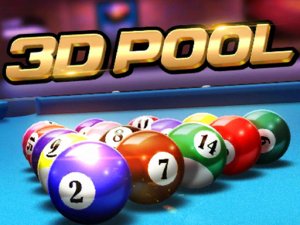
3D Billiard Challenge brings the timeless game of billiards to your browser with a fresh 3D perspective. Players aim to pocket their designated set of balls, either the solid-colored group or the striped group, and then legally pocket the 8-ball to win. The game replicates the look and feel of a real pool table with realistic ball physics, making each shot feel authentic. It is designed to be accessible for both newcomers and experienced players, offering a safe and family-friendly environment. No downloads or installations are needed; you can start playing instantly on any device with a modern browser.

How to Play

Players typically aim the cue by moving their mouse or finger on a touch screen. To set the power of a shot, you drag the cue backward and then forward to strike the ball. The goal is to pocket all your assigned balls and then legally pocket the 8-ball. Careful aiming and power control are essential to avoid fouls, such as pocketing the cue ball. The game follows standard 8-ball pool rules, so learning those can help you play more effectively. The controls are intuitive, allowing you to start playing without a lengthy tutorial.

Game Features

Realistic 3D graphics that simulate a real pool table. Authentic ball physics for accurate shots and rebounds. Free to play with no hidden costs. HTML5 technology ensures smooth performance on both PC and mobile browsers. No downloads or installations required. Suitable for players of all ages and skill levels. The game may include options to play against computer opponents or with friends.

Tips for Success

Practice your aiming and power control regularly to improve shot accuracy. Learn the standard rules of 8-ball pool to avoid fouls and understand strategic play. Pay attention to ball positioning to set up your next shot. Use gentle shots for delicate placements and stronger shots for breaking clusters. Observing how the cue ball reacts after contact can help you plan better shots. Over time, you will develop a feel for the game’s physics and improve your overall performance.

Compatibility

πŸ’» Desktop | πŸ“± Mobile | πŸ“Ÿ Tablet
– All supported Β· Best with Chrome or Safari
Faq
Can I play 3D Billiard Challenge on my smartphone?
Yes, the game uses HTML5 technology, so it works on most modern smartphones and tablets. You just need a browser and an internet connection. No app installation is required.
Is there a time limit for each shot in this game?
No, there is no time limit. You can take as much time as you need to aim and set your shot power. This makes the game relaxing and suitable for players of all ages.
Does the game include different table colors or styles?
The game may offer various table colors or styles, but the core experience focuses on the realistic physics and 3D view. Some versions include customization options for the table felt.
Can I play 3D Billiard Challenge offline?
No, the game requires an internet connection because it runs in your browser. However, once loaded, it does not need additional downloads. You can play as long as you are online.
Are there different difficulty levels for computer opponents?
The game may include adjustable difficulty settings for computer opponents. Beginners can choose an easier setting, while experienced players can select a harder challenge to improve their skills.
How do I restart a game if I make a mistake?
Most versions of the game include a restart or new game button. Look for an icon or menu option that lets you reset the table and start a fresh match. This is usually found in the game interface.
Advertisement