Creative Builder 2 - Assembly Puzzle

Building Creative Construction
Developer: Transform Studio
Published: 2024-12-07
Updated: 2026-07-04

Reviews

Creative Builder 2 stands out for its clear, methodical approach to teaching assembly through puzzles. The combination of building and precision aiming keeps gameplay engaging without being stressful. Coins earned from accurate shots allow for steady progress, and the family-friendly design makes it suitable for children and adults alike.

Description

Game Introduction

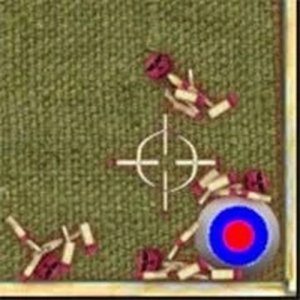
Creative Builder 2 is a construction puzzle game that challenges players to assemble devices by following on-screen instructions. The core objective is to place each piece in the correct order to build a functional device. Once assembled, players test their creation by aiming at three target panels. Hitting the center of a panel makes it disappear and rewards coins. These coins can be used to unlock parts more quickly, enabling progress through increasingly challenging levels. The game encourages creativity, patience, and problem-solving in a safe, family-friendly environment suitable for all ages. What makes Creative Builder 2 unique is its focus on step-by-step assembly and precision testing, offering a rewarding sense of accomplishment with each completed build.

How to Play

Players interact with Creative Builder 2 using a mouse or touch input. The main gameplay involves selecting device parts from a menu and positioning them according to the instructions shown on screen. After completing the assembly, players test their device by aiming at the center of three target panels. A successful hit to the center causes the panel to disappear and awards coins. Coins collected can be spent to unlock new parts, which allows for building more advanced devices. Levels gradually introduce new components and increase in difficulty, keeping the experience fresh and challenging.

Game Features

Creative Builder 2 offers a step-by-step building process that introduces new parts and challenges with each level. Players earn coins by accurately hitting target panels, which helps speed up progress. The controls are simple and intuitive, making the game accessible to players of all ages. The game provides a safe, family-friendly environment with no violent or inappropriate content. It encourages creativity and problem-solving through its construction-based gameplay.

Tips for Success

Take your time to read and follow the assembly instructions carefully. Practice aiming at the center of the target panels to maximize coin earnings. Use coins strategically to unlock parts that help you progress faster. Revisit earlier levels to improve your accuracy and build confidence. Experiment with different assembly orders to learn the mechanics more thoroughly.

Compatibility

▸ Desktop: Chrome / Edge / Firefox / Safari
▸ Mobile: iOS Safari / Android Chrome
▸ Tablet: iPadOS Safari / Android Tablet Browser
Keep your browser updated for the best experience
Faq
Can I play Creative Builder 2 on a mobile device?
Yes, the game is designed to work with both mouse and touch input, so it can be played on desktops, tablets, and smartphones without any issues.
Are there different difficulty settings in Creative Builder 2?
The game does not specify adjustable difficulty levels, but the levels themselves gradually increase in complexity, providing a natural progression from easier to more challenging builds.
Do I need to download Creative Builder 2 to play?
No, Creative Builder 2 is an online game that runs directly in your web browser, so no download or installation is required to start playing.
Is there a time limit for completing each assembly in Creative Builder 2?
The game does not mention any time limits, allowing players to take as much time as they need to carefully follow instructions and assemble each device at their own pace.
Can I replay levels in Creative Builder 2 after completing them?
Yes, you can revisit earlier levels to improve your accuracy and earn more coins, which can help you unlock parts for later stages.
What happens if I miss the target panel in Creative Builder 2?
If you miss the center of a target panel, the panel does not disappear, and you do not earn coins for that attempt. You can try again to improve your aim.
Advertisement